DAS Solution
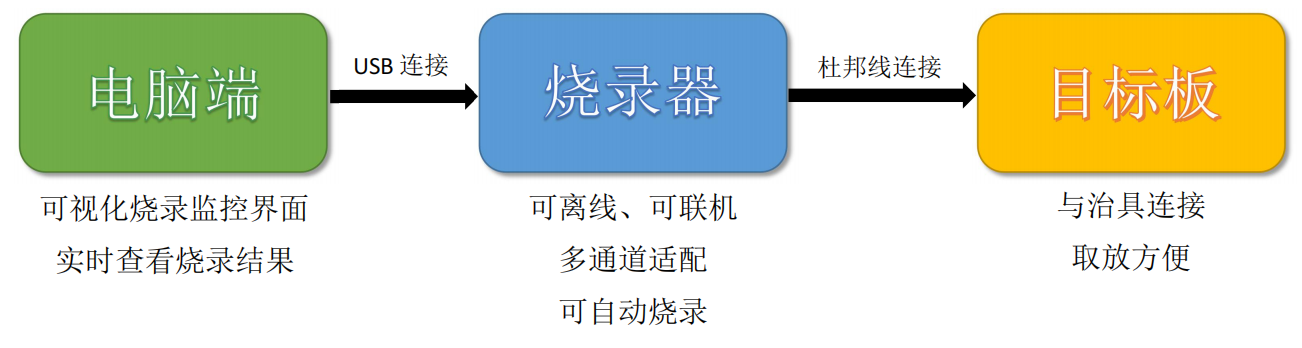
MaxWiz DAS programming solution.

DAS Solution
Customer Requirements:
(1) can batch realize STM8AF52 series and AC7801MCU series program write (including STM8 OPTION BYTE), with erasure, check function, with write failure, success prompt and statistical function; (With the function of uploading and storing software programs of different versions, it is recommended that products of different software versions be produced in different shifts.
Only one version of the software program is called per shift.
(2) The specified address can be written, write process sequence can be selected, such as erase - write - check;
(3) It can realize the comparison function of the scrub program (after the scrub program is read to check whether the scrub is correct);
(4) At the beginning of every writing program or after changing the writing file, the first three items need to read the software and hardware version information and project/product information through the tool to ensure that the calling program is correct;
(5) The circuit board sub-assembly is reserved for 4 PIN pins for the use of the scrub program
Preliminary Plan:
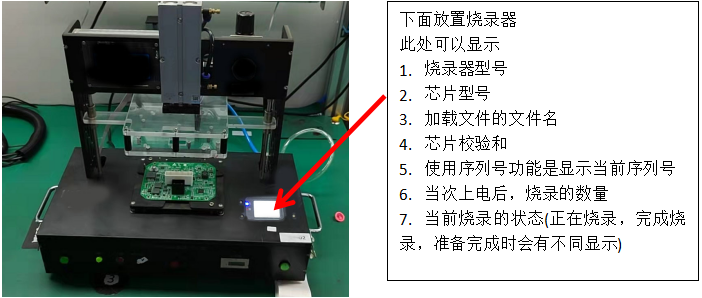
1. Fixture (build 1 drag 1 burner) diagram
2, software,
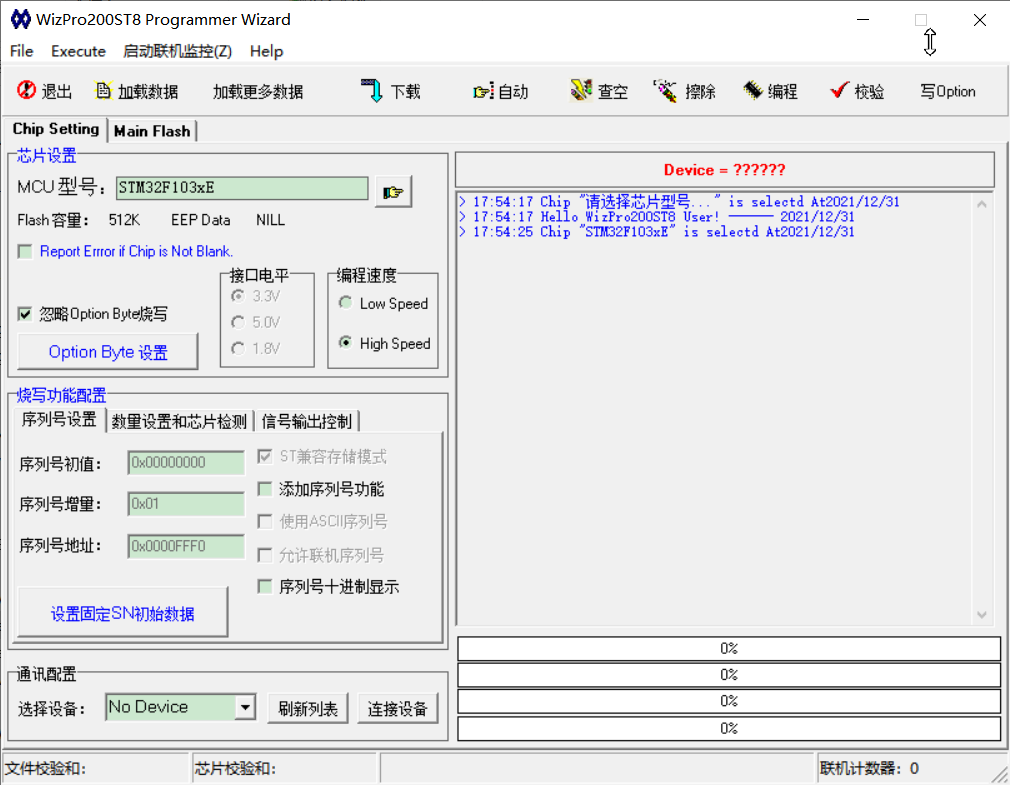
★ The burning device for checking empty, erase, programming, check and read data and other functions, simple connection, easy to operate,
★ Upper computer with brush failure, success prompt and statistical function, with visual burning monitoring function;
★ can be written to the specified address; Write process sequence can be selected, such as erase, write, check, etc
★ Can realize the comparison function of the scrub program, burn and write by reading the checksum, and the original data comparison
★ Chip model, burning file, configuration information can be packaged into the project file through the upper computer, engineering file can view the name of the chip, file name, need to be replaced when directly call the project file can start burning, simplify the operation, ensure the correctness of the call program
★ The burning device can choose automatic detection function, when using the burning device is connected with the needle, when touching the burning interface on the board, you can automatically start the burning;